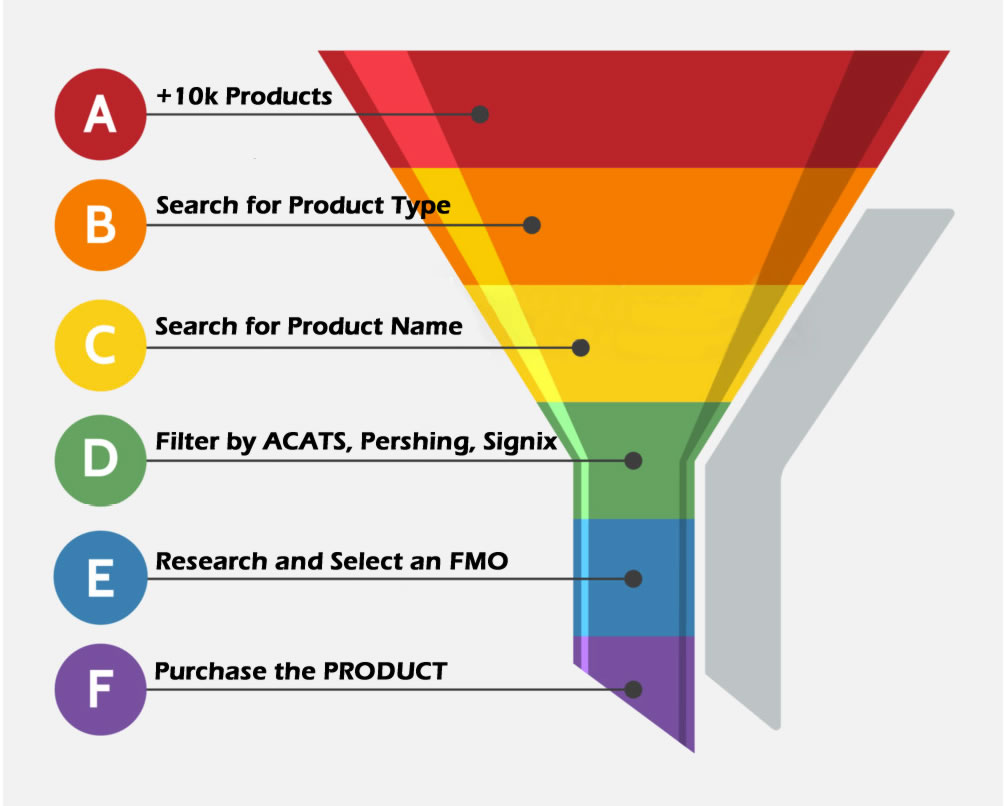
Getting Started
How to find something
The tools to find something are basically the same on all the product list pages.
Start by:
-
Select a product type from Fixed, Variable, Advisory or Alternative Investment products.
-
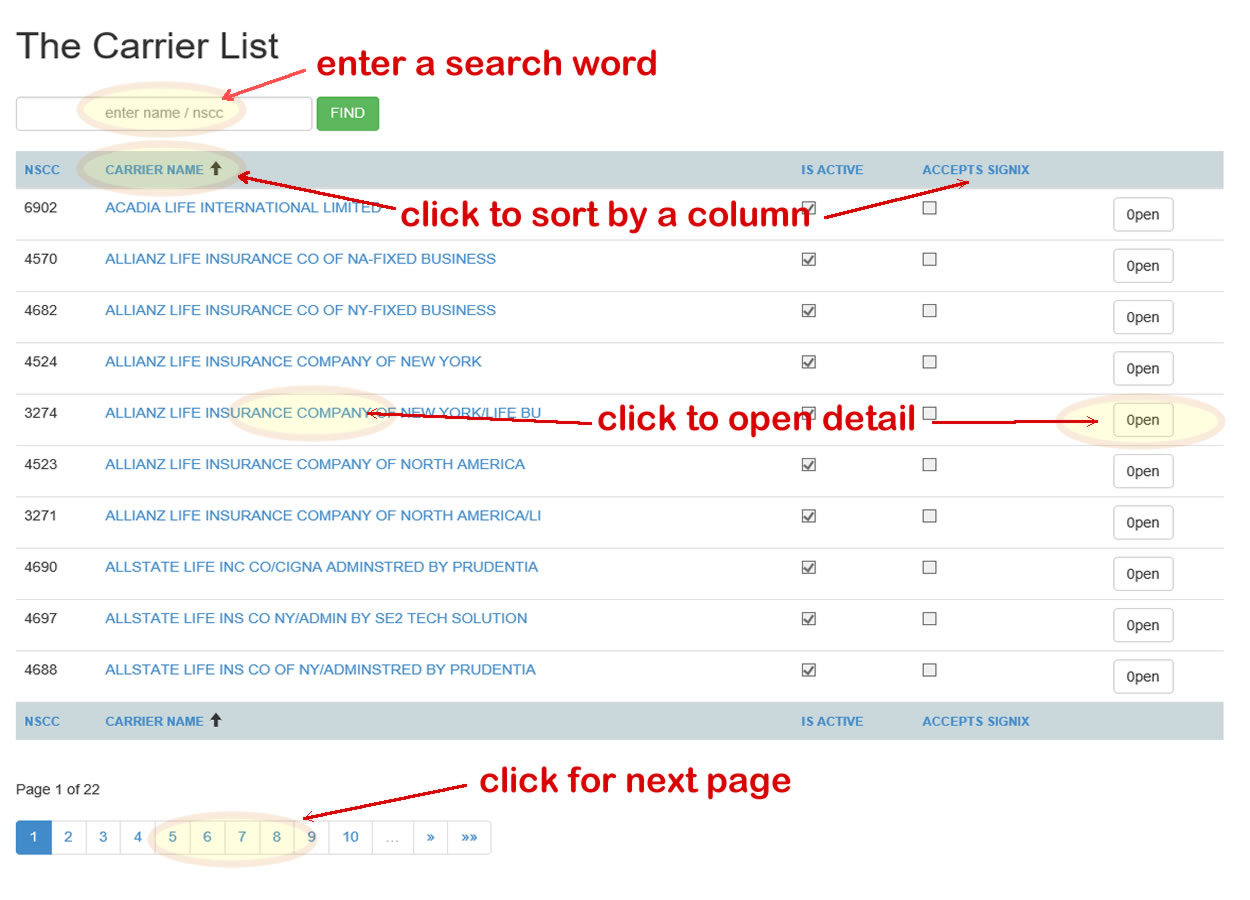
The search boxes at the top of the list allow you to filter products by name, carrier, cusip, risk , type, etc... you can enter Enter the product, type, name, or carrier your looking for into the “Find” box and click
-
Now click on any of the top column labels to sort the list by column. Click the column
label once and the list is sorted by that column in an “Ascending” order.
Click the same column label again and it’s sorted in a “Descending” order.
-
Once you spot the item your interested in, click it’s “Name” or the “Open” button on the far right
of that row and you’ll be redirected to the “Details” of that item. From there, if you click
“Back” you are returned to your search list to continue research from where you where in the hunt.